Exhibitions as a service
Turn your photos into a walk-through 3D exhibition.
Add your photos to a few rooms, write a caption or two, pick a look, and publish. Curato builds a museum your friends can walk through in the browser — no app, no 3D skills.
- No app to install
- No 3D skills needed
- Free to start
How it works
Four steps, about ten minutes. Here's the whole journey.
- 1
Create your account
Pick a username; your shows will live at
/username/show-name. A short tour shows you around. - 2
Add rooms and photos
Up to 5 rooms. Paste a link for each photo and give it a title and a story. We size the rooms and hang everything for you.
- 3
Pick a look
Choose walls, floors and frames, or let the AI curator suggest an order, texts and a theme.
- 4
Publish and share
Send the link. Friends walk through your museum in their browser, on a computer or a phone.
All you need: links to your photos
Photos are added by link or by upload. Three easy ways:
- From a website: right-click a photo and choose “Copy image address”, or open it in a new tab and copy the address bar.
- From Google Photos: put your photos in a shared album, open a photo, right-click it and copy the image address.
- From your device: press Upload in a room and choose or drag your photos; they're resized and stored for you.
Why people like it
A real walk-through
A lobby, a corridor and rooms with entrance signs, lit frames and your captions.
An AI curator
Ask for a better order or richer texts, and keep up to five versions to choose from.
Themes that fit
From white cube to brick loft and midnight blue, with your own wall colours.
Eight languages
English, Türkçe, 日本語, 中文, Русский, Français, Español and Deutsch, plus light, dark and terminal looks.
Works everywhere
Mouse and keyboard, touch joystick, or a simple list for every artwork.
Follow artists
A timeline of new shows from the people you follow.
Recently published
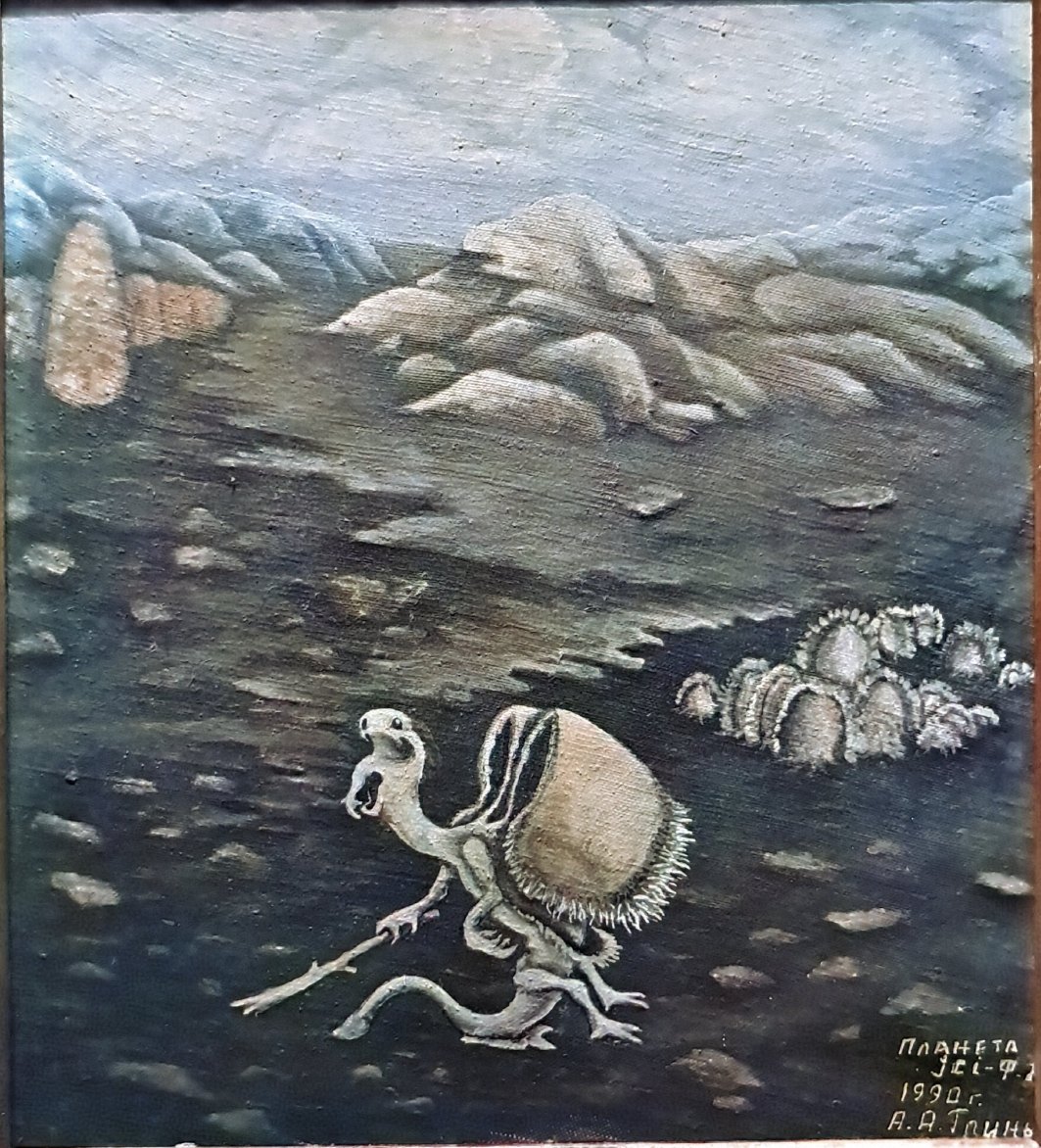
Explore allAlexey Grinev's Cosmos
A strange, tender journey through Alexey Grinev’s imagined planet, where skeletal figures work, travel, dance, and dream beneath unfamiliar moons. Grinev was a metalworker who made these images from dreams and imagination under the pressure of the Soviet Union. Together, they feel like fragments of a private mythology: alien landscapes drawn from memory, fantasy, and a grandfather’s inner world.
1 room · 9 works · 25 views
First Light
Three rooms of colour studies, from sunrise to midnight blue. Walk through, open any work to read about it, and imagine your own photos on these walls.
3 rooms · 8 works · 45 views
Questions
Is it free?
Yes. Create, publish and share exhibitions for free.
Can I upload photos?
Yes: upload them from your device, pick them from Google Photos, or paste a public link.
Can I sell my work?
Yes. Mark a work as for sale (with a price if you like) and visitors can ask to buy it, which puts you in touch with each other. Payment isn't handled in the app yet: you agree on the sale and payment directly.
My link shows “Not an image”. Why?
It probably points to a web page that shows the photo, not to the photo itself. Open the picture on its own and copy that address, or right-click it and choose “Copy image address”.
Can visitors use a phone?
Yes. They walk with an on-screen joystick or browse every work as a list. A computer with a mouse gives the best walk.
Can I change an exhibition after publishing?
Any time. Edit, then press Update. Saved versions let you go back to an earlier hang.
Your first exhibition is ten minutes away
Start from the sample, swap in your own photos and send the link tonight.
Get started — it's freePartners
The artists and communities we work with.